Wait Signal
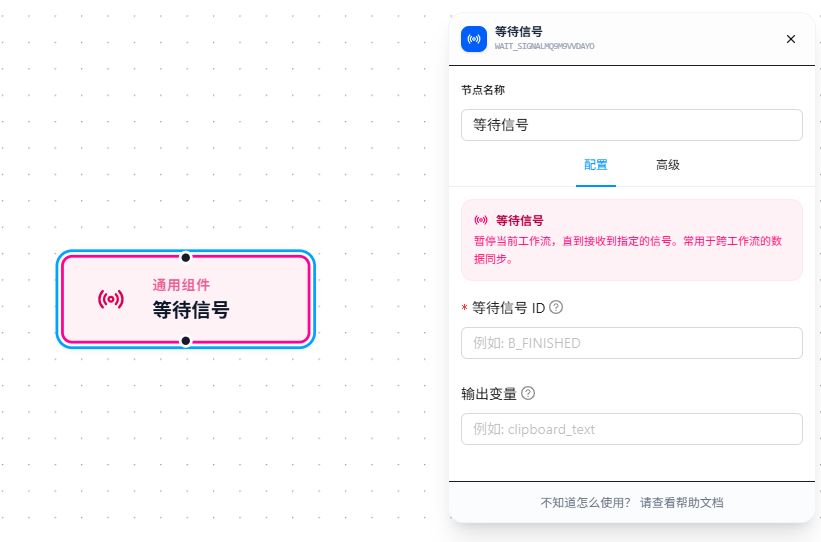
The Wait Signal node suspends the workflow mid-execution and only continues downstream after receiving a specified signal.
Difference from Signal Trigger: Signal Trigger sits at the beginning of a workflow and starts the entire workflow on signal; Wait Signal sits in the middle of a workflow — do some prep work first, then pause and wait.
Usage Example
Scenario: Workflow A scrapes product data and sends a signal to notify Workflow B after completion. Workflow B first performs some cleanup, then pauses to wait for Workflow A's signal, and continues with export once received.
Inside Workflow B:
Execute Code (clean old data) → Wait Signal (wait for data_ready) → Export Data
                                      ↑
                          Workflow A sends the data_ready signal after scraping
Configuration: Set "Wait Signal ID" to data_ready, matching exactly the signal ID in Workflow A's Send Signal node. If Workflow A sends a signal with data (e.g., {"count": 100}), set "Output Variable" to result — subsequent nodes can then reference it via {{result.count}}.
Parameter Reference
Wait Signal ID
The signal identifier to wait for. Must match the sending side's Send Signal signal ID exactly (case-sensitive). Supports {{variableName}} references.
Output Variable
The variable name to store the data carried by the signal. The "Carry Data" filled in by the sender in "Send Signal" is stored in this variable. Leave empty to discard the data.
FAQ
Difference between Wait Signal and Signal Trigger
| Signal Trigger | Wait Signal | |
|---|---|---|
| Position | Workflow start (trigger) | Workflow middle (execution node) |
| Behavior | Starts the entire workflow upon signal | Blocks the current path, continues upon signal |
| Best For | Workflow is signal-driven from the start | Workflow does prep work first, then waits for an external notification |
In short: the workflow doesn't need to do anything before waiting → use Signal Trigger; the workflow needs to do some prep work before waiting → use Wait Signal.