Execute Code
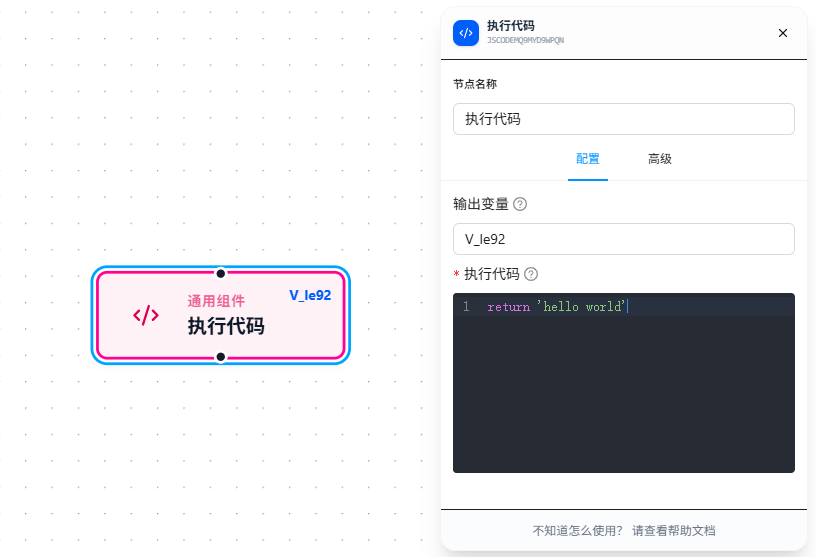
The Execute Code node runs custom JavaScript to implement extension logic that built-in nodes cannot cover.
Usage Examples
Scenario 1: Pure data computation (no permissions needed)
An upstream node collected a list of product prices; you need to calculate the total and average:
{{prices}} = [99, 199, 299, 159]
Code block:
const prices = {{prices}};
const total = prices.reduce((a, b) => a + b, 0);
return { total, avg: total / prices.length };
Set Output Variable to result. Downstream nodes reference {{result.total}} and {{result.avg}}.
Scenario 2: Manipulate page DOM (requires permission)
A page has a batch of checkboxes, and you need to check them by custom rules — the built-in Checkbox operates on one at a time. Use a code block to handle them all at once:
document.querySelectorAll('.item-checkbox').forEach(cb => {
    const row = cb.closest('tr');
    const status = row.querySelector('.status').textContent;
    if (status === 'Pending') cb.click();
});
return 'ok';
Scenario 3: Call an existing JavaScript API on the page (requires permission)
The page exposes a JS function window.App.submitForm(). Call it directly:
const result = window.App.submitForm({{formData}});
return result;
Parameter Reference
| Parameter | Type | Default | Description |
|---|---|---|---|
| Execute Code | JavaScript | — | Required. {{variableName}} references are replaced with actual values before execution |
| Output Variable | Text | — | Variable name to store the return value. Leave empty to discard |
The return value must be JSON-compatible (String, Number, Boolean, Object, Array). DOM elements, functions, and Symbols cannot be returned.
FAQ
Cannot access document / window in code
Cause: User script permission is not enabled — the code runs in a sandbox.
Solution: Go to chrome://extensions, find JTC RPA → enable "Allow user scripts" permission.
Return value is lost or null
Cause: The code has no return statement, or the return value is not serializable.
Solution: Ensure return returns a JSON-compatible primitive type.