Write Clipboard
Writes text to the clipboard — you can then press Ctrl+V to paste it anywhere.
Overview
Writes specified text to the clipboard. Follow it with a Key Press node set to Ctrl+V to paste into an input field.
The content field supports {{variableName}} references to upstream variables; see Variables.
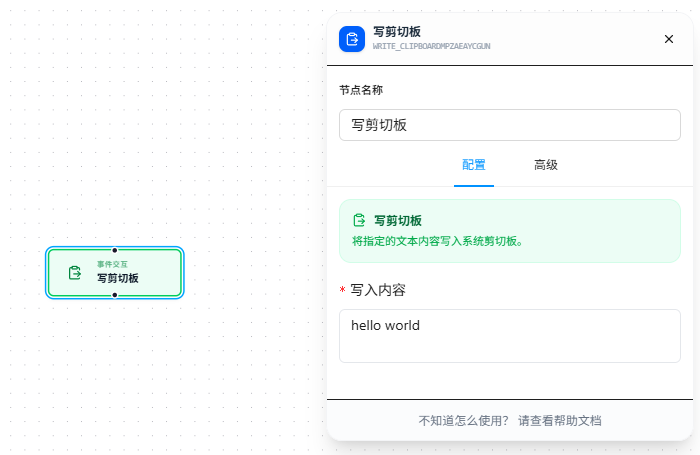
Quick Start
- Drag the "Write Clipboard" node onto the canvas
- Enter the text to write in "Write Content" (required); supports
{{variableName}}references - Follow with a Key Press node, set to Ctrl+V to paste
FAQ
No content when pasting after writing
Solution: First open Notepad and press Ctrl+V to see if it pastes. If it does, the issue is with the target page — use the Key Press node to send the Ctrl+V key combination for pasting.