Trigger Event
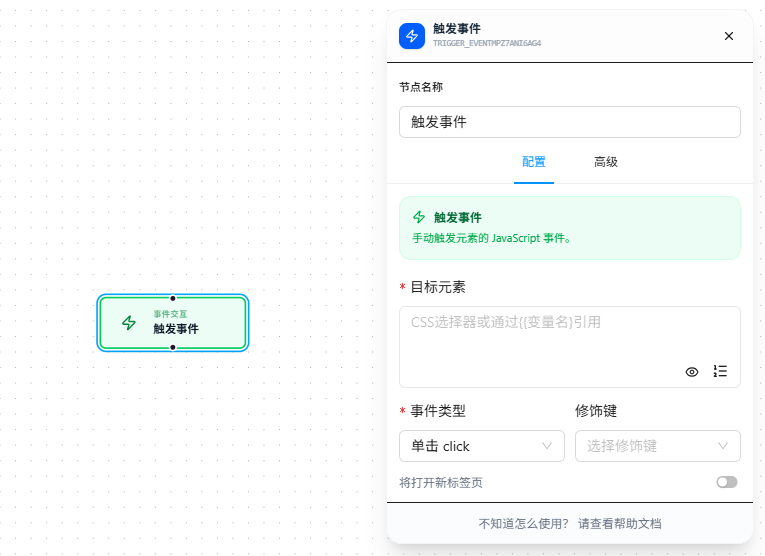
The Trigger Event node manually dispatches events to an element, used to resolve cases where page events don't respond normally.
Overview
Manually dispatches events to an element. 9 types are supported: Click, DblClick, Hover, Leave, Key Down, Blur, Change, Focus, Input.
When selecting "Key Down," a key must be configured. When selecting "Change" or "Input," text content must be provided.
Quick Start
- Drag the "Trigger Event" node onto the canvas
- Fill in "Target Element" CSS selector (required)
- Select the event type (required), e.g., "Change"
- If "Key Down" is selected, configure the key; if "Change" or "Input" is selected, provide the text content
- Execute