Select Option
The Select Option node operates on <select> dropdowns, selecting options by value or by display text.
Overview
Two matching modes are supported:
- Match by Value — selects the option based on the
<option>element'svalueattribute - Match by Display Text — selects the option based on its displayed text
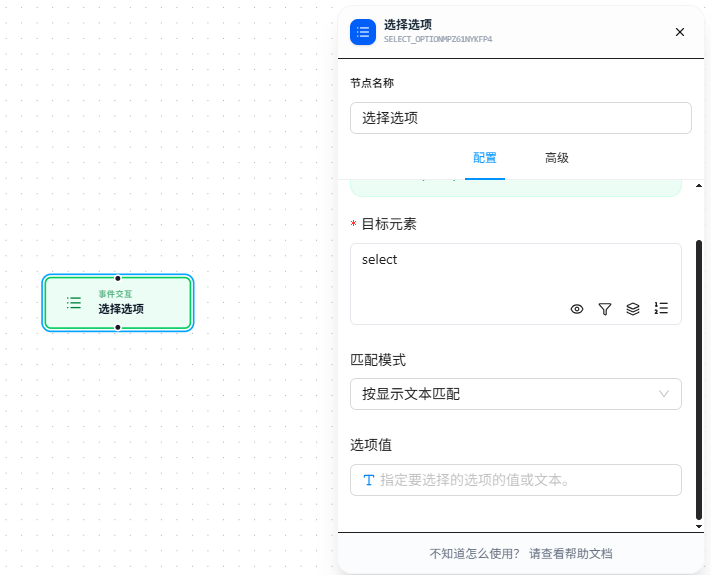
After choosing the "Match Mode," fill in the corresponding value or text in "Option Value."
Quick Start
- Drag the "Select Option" node onto the canvas
- Fill in "Target Element" CSS selector (required), pointing to the target
<select>element - Choose the match mode: By Value or By Display Text
- Fill in "Option Value" — the value or text of the option to select
- Execute
Parameter Reference
| Parameter | Type | Default | Description |
|---|---|---|---|
| Target Element | Text | — | CSS selector for the <select> element, required |
| Match Mode | Dropdown | value | value — match by the option's value attribute; label — match by the option's display text |
| Option Value | Text | — | The value or text of the option to select. Supports {{variableName}} references; see Variables |
FAQ
Option exists but "No matching option found" error
Symptom: The target option is visible in the dropdown, but the node reports an error.
Cause: Wrong match mode — using value mode to match display text, or vice versa.
Solution: Inspect the target <option> element in DevTools to confirm what its value attribute and display text are, then choose the corresponding match mode.