Click
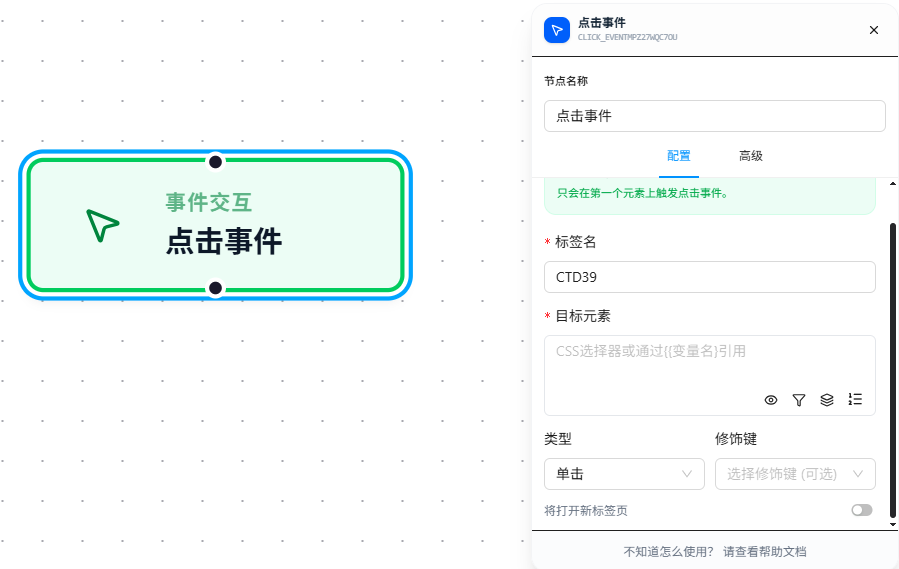
The Click node simulates a mouse click, supporting single-click and double-click.
Overview
Based on native browser event simulation, fires only on the first matching element. Prefers calling the element's element.click() native method (the most reliable path); if unavailable, manually constructs a full event chain: focus → pointerdown/mousedown → pointerup/mouseup → touchend → click.
Quick Start
The following example demonstrates a complete workflow triggered via Context Menu:
- Trigger: Context Menu — right-click on a matching page to start the workflow
- Action: Click — click the
#prepare-clickbutton on the page - Execution Page:
https://jtcrpa.com/test/index.html
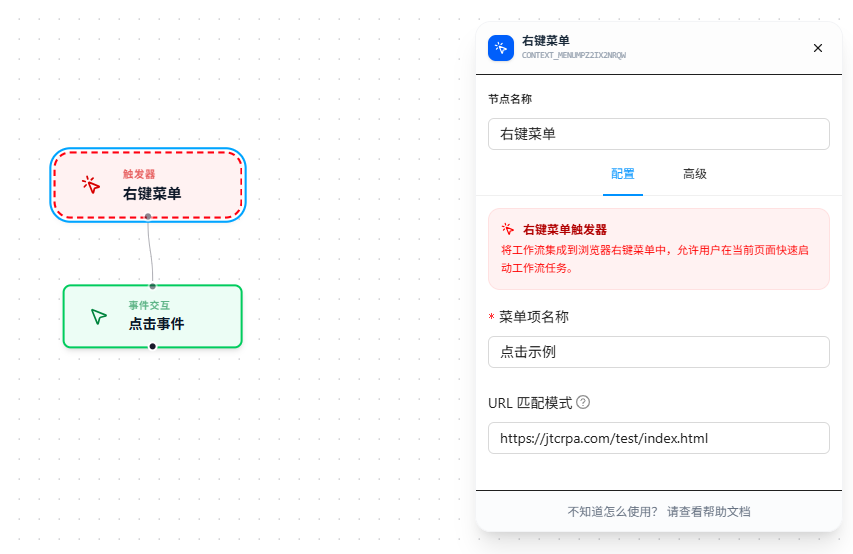
When the workflow runs, first right-click on the matching page and select the menu item to start, then the Click node triggers a click on the target button #prepare-click.
If the click action opens a new page (e.g., a link with target="_blank" or window.open()), enable the "Open New Tab" toggle; otherwise, the new page may be blocked by the browser.
Parameter Reference
| Parameter | Type | Default | Description |
|---|---|---|---|
| Label Name | Text | — | Node name, required. Must follow variable naming conventions |
| Target Element | Text | — | CSS selector, required |
| Click Type | Dropdown | Single-click | click — single-click; dbclick — double-click |
| Modifier Keys | Multi-select | — | Trigger condition: hold modifier keys while clicking. Options: Ctrl, Shift, Alt, Meta (Command/Win). Can select multiple |
| Open New Tab | Toggle | false | Whether to trigger the click in a new tab |
| Switch to New Page | Toggle | false | Whether to switch to the new tab for subsequent actions |
FAQ
Page doesn't respond after clicking
Symptom: Execution log shows the click succeeded, but the page shows no change.
Cause: The selector hit the wrong element; or the page uses event delegation with listeners bound to parent elements.
Solution: Run document.querySelector('your selector').click() in the DevTools Console to verify. If manual clicking works but the node doesn't, try adding a Wait Element node before the click.