Switch iframe
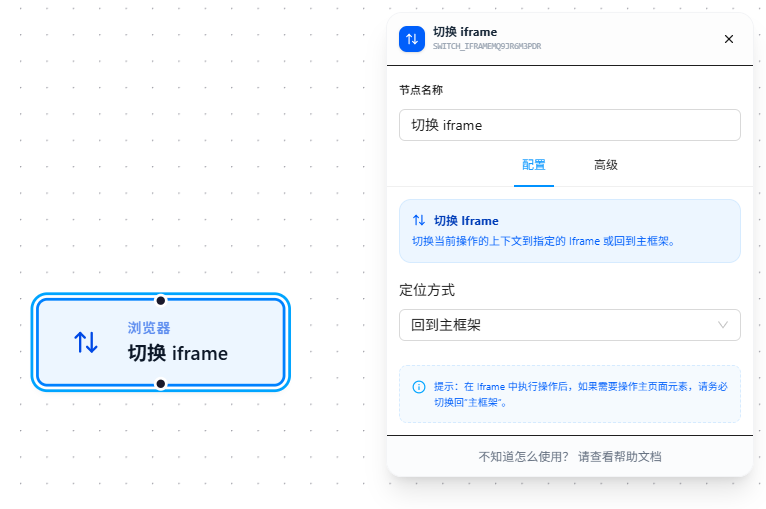
The Switch iframe node switches the context of subsequent DOM operations into a specified iframe, or back to the main frame.
Overview
Modern web pages often embed third-party content via iframes. Browser security policies require being in the correct frame context to operate on DOM elements inside an iframe.
Usage
After dragging in the node, choose a targeting mode. Three modes are available:
By Index
Target an iframe by its order of appearance on the page. The first iframe is index 0, the second is 1, and so on. Suitable for pages with a fixed structure and few iframes.
By URL Match
Match the iframe's src address using Chrome match patterns. Suitable for pages with many iframes or non-fixed order — more stable than index-based targeting.
Back to Main Frame
Exit the current iframe context and return to the top-level document. Always switch back to the main frame after operating inside an iframe — otherwise, downstream nodes will continue executing within the iframe and won't be able to find main page elements.
After performing operations inside an iframe, if you need to operate on main page elements, be sure to switch back to "Main Frame."
Parameter Reference
| Parameter | Type | Default | Description |
|---|---|---|---|
| Targeting Mode | Dropdown | — | index — by index; url — by URL match pattern; main — back to main frame |
| iframe Index | Text | — | Used when targeting mode is "index." Supports {{variableName}} |
| iframe URL Pattern | Text | — | Required when targeting mode is "URL match." Chrome match patterns format |
FAQ
Elements still not found after switching to iframe
Symptom: Switched to the iframe, but downstream nodes still report "element not found."
Cause: The iframe contains nested iframes — you need to switch layer by layer.
Solution: Inspect the iframe nesting in the DevTools Elements panel and use one Switch iframe node per layer.
Main page element operations error after iframe operations
Symptom: After completing operations inside an iframe, main page element operations report "not found."
Cause: The current context is still inside the iframe — not yet switched back to the main frame.
Solution: After iframe operations, use a Switch iframe node with targeting mode set to "Back to Main Frame."