Refresh Page
The Refresh Page node reloads the current tab.
Overview
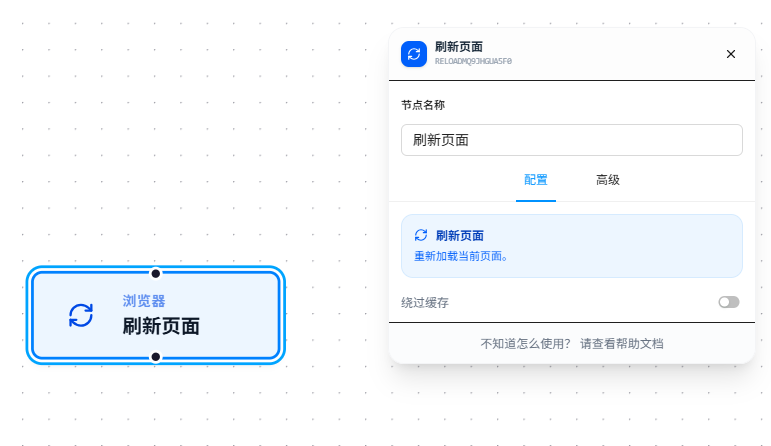
Refresh Page acts on the currently active tab — no target selection needed. Enable "Bypass Cache" to force a refresh (equivalent to Ctrl+F5).
Usage
After dragging in the node, enable "Bypass Cache" as needed:
- Bypass Cache: When enabled, ignores the browser cache and forces a fresh request from the server. Equivalent to manually pressing Ctrl+F5. Suitable for scenarios where you need the latest data.
Parameter Reference
| Parameter | Type | Default | Description |
|---|---|---|---|
| Bypass Cache | Toggle | false | When enabled, ignores cache and forces a fresh request (equivalent to Ctrl+F5) |
FAQ
Page data unchanged after forced refresh
Symptom: After bypassing cache, the data is the same as before the refresh.
Cause: The server-returned data itself hasn't changed, or the CDN cache hasn't synced.
Solution: Check in the DevTools Network panel that the request status code is 200, not 304.