Open Window
The Open Window node creates a new window in the browser.
Overview
Four window states are supported: Normal, Fullscreen, Maximized, Minimized. In Normal mode, you can customize window position (top/left) and size (width/height). Options to activate the window and switch subsequent operations to the new window are available.
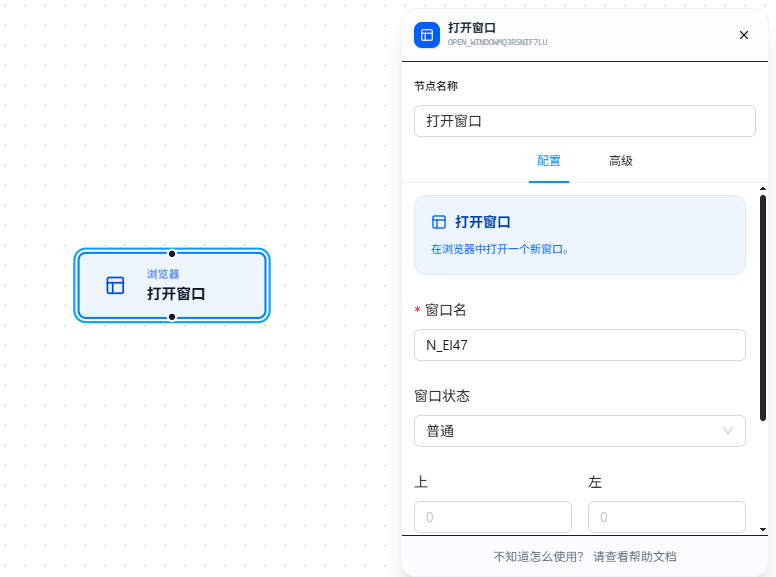
Quick Start
- Drag the "Open Window" node onto the canvas
- Fill in "Window Name" (required; must follow variable naming conventions). This name can be referenced later by nodes like "Switch Window" and "Close Window"
- Select the window state (default: Normal)
- In Normal mode, optionally configure position (top/left) and size (width/height)
- Enable "Activate Window" or "Switch to New Window" as needed
Parameter Reference
Common Parameters
| Parameter | Type | Default | Description |
|---|---|---|---|
| Window Name | Text | — | Node name, required. Must follow variable naming conventions |
| Window State | Dropdown | normal | normal — normal (position/size adjustable); fullscreen — fullscreen; maximized — maximized; minimized — minimized |
| Activate Window | Toggle | false | Whether to auto-focus the new window |
| Run in New Window | Toggle | false | Whether subsequent nodes execute in the new window |
Normal Mode Parameters (shown when Window State is "normal")
| Parameter | Type | Default | Description |
|---|---|---|---|
| Top | Number | 0 | Pixels from the top edge of the screen |
| Left | Number | 0 | Pixels from the left edge of the screen |
| Width | Number | — | Window width in pixels; defaults to screen width |
| Height | Number | — | Window height in pixels; defaults to screen height |