Open Page
The Open Page node navigates the browser to a specified URL. It is the most commonly used navigation node.
Overview
After navigating to the target URL, you can choose to: activate the tab (switch to that tab), or switch execution to the new page (subsequent nodes run in the new page).
The Open Page configuration panel:
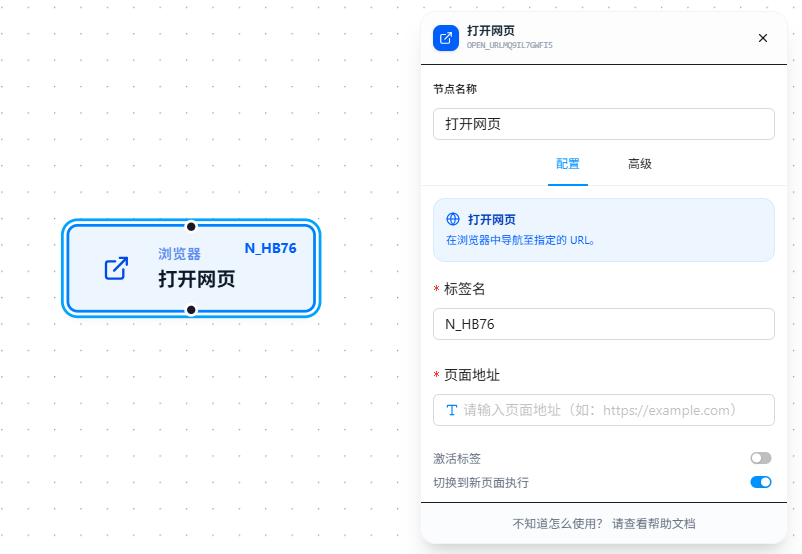
Parameter Reference
| Parameter | Type | Default | Description |
|---|---|---|---|
| Tab Name | Text | — | Node name, required. Must follow variable naming conventions. Can be referenced later by nodes like "Switch Page" and "Close Page" |
| Page URL | Text | — | Target URL, required. Supports {{variableName}} references; see Variables |
| Activate Tab | Toggle | false | Whether to auto-switch to this tab |
| Switch Execution to New Page | Toggle | false | Whether subsequent nodes execute in the newly opened page |