Close Page
The Close Page node closes a specified browser tab.
Overview
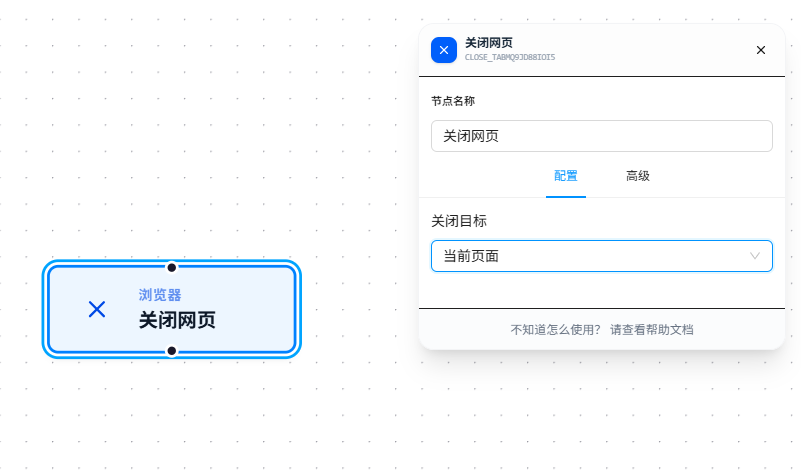
Select the page to close from the "Close Target" dropdown and execute.
Usage
After dragging in the node, select the tab to close from the "Close Target" dropdown. The dropdown options come from:
| Option | Source |
|---|---|
| Current Page | Always present — the currently active tab |
| Initial Page | Always present — the tab that was open when the workflow started |
| Other Page Names | Determined by the "Tab Name" of upstream nodes |
Where Page Names Come From
Aside from "Current Page" and "Initial Page," the remaining options in the dropdown come from tab names configured in upstream nodes. Specifically:
- The "Tab Name" filled in upstream Open Page nodes becomes an option in the dropdown
- Some event interaction nodes (like Click, Key Press) that have "Open New Tab" enabled also require a tab name and will appear in the dropdown
In other words, which page you can close depends on what name it was given when it was opened upstream.
Parameter Reference
| Parameter | Type | Default | Description |
|---|---|---|---|
| Close Target | Dropdown | — | Select an open tab to close; options are dynamically generated by the system |
FAQ
Workflow breaks after closing a tab
Symptom: Downstream nodes error out after closing a page.
Cause: Subsequent nodes need to execute in the now-closed page.
Solution: Use the Switch Page node to transfer the execution context to another tab before closing.